
언리얼 C++
로그 출력 하기

상단 메뉴에서 툴 > 새로운 C++ 클래스
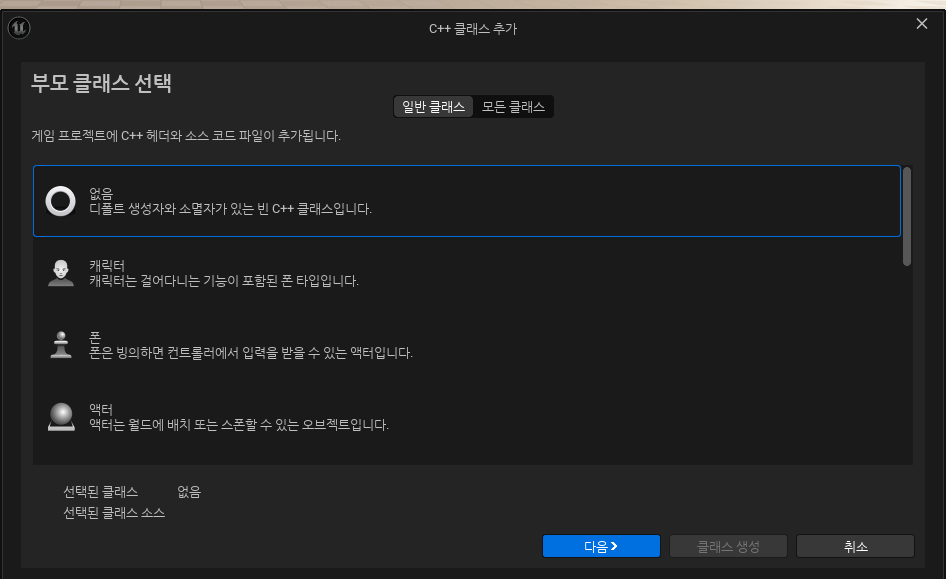
액터 타입으로 하고
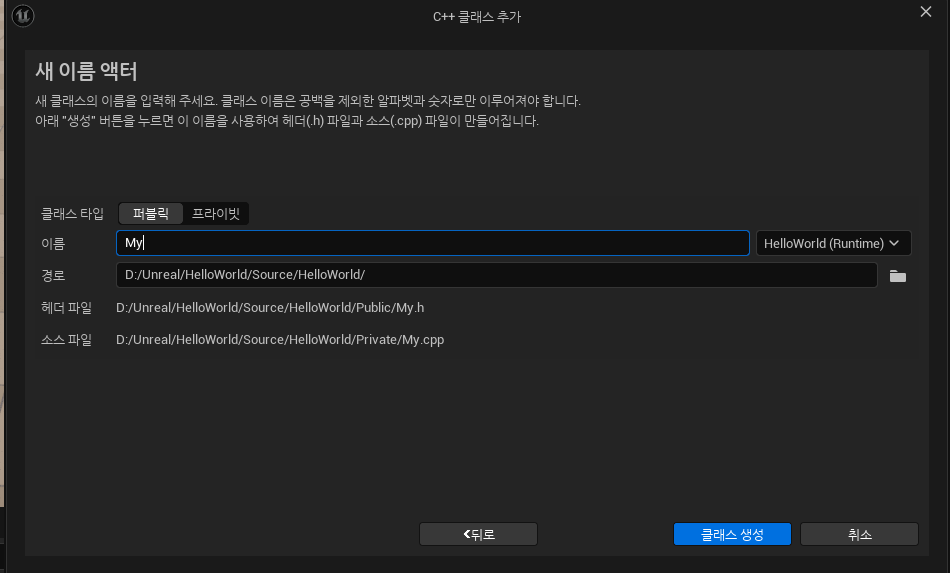
클래스 타입 : 퍼블릭
이름 : MyActor
경로를 지정해주고 생성한다.
생성한 액터 CPP 구현
// Fill out your copyright notice in the Description page of Project Settings.


#include "MyActor.h"

// Sets default values
AMyActor::AMyActor()
{
 	// Set this actor to call Tick() every frame.  You can turn this off to improve performance if you don't need it.
	PrimaryActorTick.bCanEverTick = true;

}

// Called when the game starts or when spawned
void AMyActor::BeginPlay()
{
	Super::BeginPlay();
    // 랜덤 숫자 범위 설정
    int MinValue = 1;
    int MaxValue = 100;

    // 랜덤 숫자 3개 생성
    int RandomNumber1 = FMath::RandRange(MinValue, MaxValue);
    int RandomNumber2 = FMath::RandRange(MinValue, MaxValue);
    int RandomNumber3 = FMath::RandRange(MinValue, MaxValue);

    // 합계 계산
    int Sum = RandomNumber1 + RandomNumber2 + RandomNumber3;

    // 결과 출력
    UE_LOG(LogTemp, Warning, TEXT("Generated Numbers: %d, %d, %d"), RandomNumber1, RandomNumber2, RandomNumber3);
    UE_LOG(LogTemp, Warning, TEXT("Sum of Numbers: %d"), Sum);
}

// Called every frame
void AMyActor::Tick(float DeltaTime)
{
	Super::Tick(DeltaTime);

}
1 ~ 100 중 랜덤한 숫자를 3개 출력하고 합을 Log에 출력한다.
실행 결과
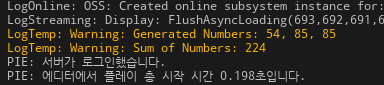
UE_LOG는 언리얼 엔진의 출력 로그에 특정 정보를 전달한다.
| 심각도 | 콘솔 출력 색상 |
| Log | 일반적인 메시지, 색상 없음 |
| Display | 파란색 (일반 정보를 강조하기 위해 표시) |
| Warning | 주황색 또는 노란색 (경고 메시지를 시각적으로 강조) |
| Error | 빨간색 (문제가 되는 상황을 강조) |
| Fatal | 빨간색 (치명적 오류이며 이후 프로그램 종료) |
'언리얼' 카테고리의 다른 글
| [2025.12.29] Unreal_7기 22 일차 | C++ 3 주차 (0) | 2025.12.29 |
|---|---|
| [2025.12.26] Unreal_7기 21 일차 | C++ 3 주차 (0) | 2025.12.26 |
| [2025.12.23] Unreal_7기 19 일차 | C++ 3 주차 (0) | 2025.12.23 |
| [2025.12.22] Unreal_7기 18 일차 | C++ 2 주차 (0) | 2025.12.22 |
| [2025.12.19] Unreal_7기 17 일차 | C++ 2 주차 (0) | 2025.12.19 |